On this page
Last reviewed and updated: 07/10/2026
What Small Businesses Should Look for in an Ecommerce Platform
There's no shortage of ecommerce platforms. The challenge is finding the one that fits your needs now and as you grow, without blowing your budget.
If you're a smaller business, you need a platform you can run without a developer but that's powerful enough to drive serious sales. Ideally, it also helps with the operational side: keeps shipping costs low, improves your search rankings, and supports your email marketing.
That's a lot to ask. But it's 2026, and you've got several solid options.
How We Evaluated These Platforms
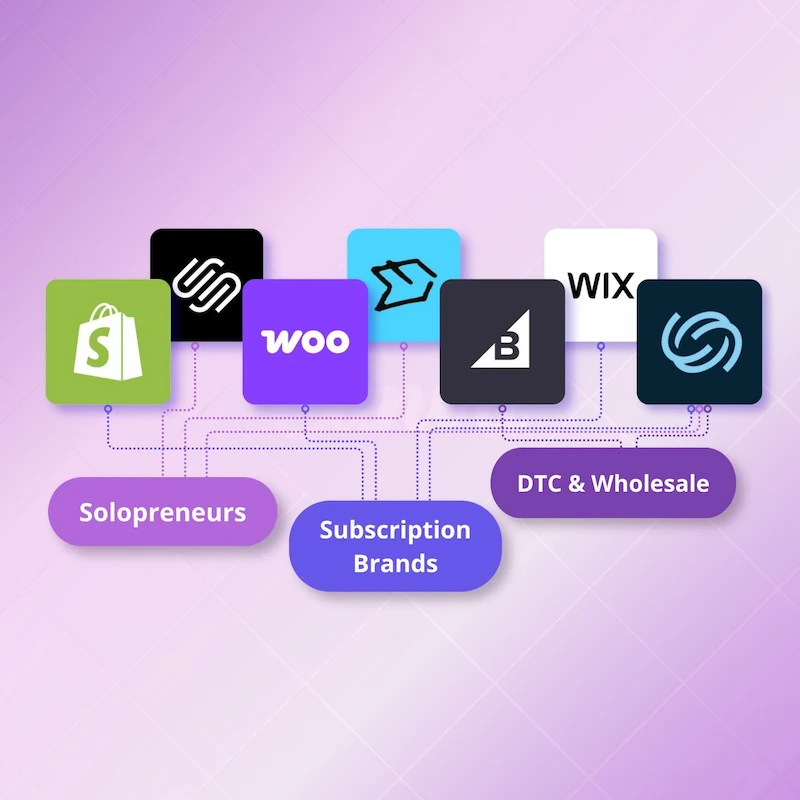
We evaluated six platforms that represent realistic options for small and midsize businesses, spanning hosted ecommerce platforms, WordPress-based commerce, and website builders with ecommerce capabilities.
We didn't include marketplace-only options such as Amazon or Etsy, POS systems with limited online selling tools, and headless or open-source platforms that typically require significant developer involvement.
Across the six on our list, we focused on the areas that matter most as a small business grows:
Total cost of ownership - We pulled live figures from each platform's pricing page, including fees that aren't always front-and-center: transaction fees, third-party processor surcharges, and what you'll actually need to pay to run a functional store.
Day-to-day ease of operation - The technical knowledge and effort required to build, update, and operate the store.
Native features - What's included in the base plan versus what requires a paid app or plugin.
Reliability and support - How dependable the platform is, and how accessible, responsive, and helpful its customer support is according to merchants.
Ability to support growth - How well the platform handles higher order volume, additional sales channels, and more complex operations without requiring upgrades or workarounds.
Migration options - If you're moving from an existing platform, what the process looks like.
Shopify
Shopify is the default choice for many businesses for a reason. It has one of the largest third-party app ecosystems, extensive partner networks, and polished onboarding.
Plan and transaction costs: When billed annually, Shopify costs $29/month for Basic, $79/month for Grow, and $299/month for Advanced. Shopify Plus starts at $2,300/month on a three-year term or $2,500/month on a one-year term.
Basic, Grow, and Advanced share many of the same core ecommerce features, but differ in areas such as payment rates, staff accounts, shipping capabilities, and API access. Plus adds enterprise-level capabilities including full checkout customization, unlimited B2B catalogs, unlimited staff accounts, and priority support.
For U.S. merchants using Shopify Payments, card rates start at 2.9% + 30¢ on the Basic plan, 2.7% + 30¢ on Grow, and 2.5% + 30¢ on Advanced.
If you use a third-party processor instead of Shopify Payments, Shopify charges an additional transaction fee on top of whatever your processor charges: 2% on Basic, 1% on Grow, 0.6% on Advanced.
Beyond payment fees, many merchants pay for third-party apps. Shopify includes a broad set of core tools, but established merchants often add apps for both specialized and standard workflows.
A typical store might use separate apps for shipping functionality, product subscriptions, customer reviews, and web page customization — features that go beyond what their theme or base plan supports.
Some apps are free but the more capable ones run $20–$100 per month, sometimes with usage-based or transaction fees on top. The flexibility of their app store is one of Shopify's greatest strengths, but every added app can introduce another bill and interface the merchant must monitor.
Ease of use: Shopify is easy to launch and manage when the business uses a standard theme and conventional ecommerce workflows. The experience can become less straightforward as the operation becomes more specialized. Merchants may need to evaluate competing apps, configure integrations, modify theme code, or hire a developer to create advanced storefront and workflow customizations.
Native features: Strong core, but limited for advanced needs. Shopify is deliberately extensible, which is a strength for merchants who value a large selection of tools and providers, and a cost driver for those who expect more functionality out of the box.
Reliability: Shopify's managed hosting is highly reliable with consistently strong uptime.
Support: Basic and Grow include 24/7 live chat, while Advanced receives enhanced live chat. Shopify Plus includes priority support and 24/7 phone support.
Ability to support growth: Shopify supports businesses from first-time sellers to large international brands, so the question isn't whether it can grow with you, it's what that growth will cost. The jump from Advanced to Plus is particularly steep, and some capabilities may remain app-dependent even after an upgrade.
Migration: Shopify supports several migration paths. Merchants can copy content and import supported data themselves, use a migration app, or hire a Shopify Partner.
There's no universal migration fee built into standard plans, but there's also no included specialist who recreates and configures the entire store. Final effort and cost depend on the store's data, design, and integrations, and on how much of the work you handle personally versus outsource.
Best for: Merchants who want an easy way to get an online store started with the flexibility to add third-party tools as the business grows, and are willing to spend the time and money that flexibility requires.
What small businesses should consider: Shopify's advertised entry price and real monthly cost can diverge significantly once you account for the apps, premium themes, migration costs, and third-party processor surcharges. If you're working with a tight margin, model out the full number before committing.
WooCommerce
WooCommerce is a free plugin that turns a WordPress site into an ecommerce store. From there, you can build a highly customized storefront using plugins, custom development, or both.
Plan and transaction costs: No monthly plan fee, but there are still costs. You'll need hosting ($10–$50/month), a domain (~$15/year), and SSL (usually included with hosting). A functional store realistically starts around $30–$60/month before plugins.
Add in what most stores end up needing — SEO, security, page building, marketing, and features like subscriptions ($279/year for WooCommerce Subscriptions) — and the real cost lands closer to $75–$150/month.
Ease of use: WooCommerce is the most technical option on this list. You need to be comfortable managing WordPress, hosting, plugins, and updates. If something breaks, fixing it is on you. That's the tradeoff for the control and code ownership WooCommerce gives you.
Native features: Minimal out of the box. WooCommerce's strength is customizability, not what comes included.
Reliability: WooCommerce can be reliable, but you're responsible for keeping it that way. Your hosting, plugins, theme, and server setup all affect performance and uptime.
Support: Because it's self-hosted, responsibility is divided: hosting issues go to your hosting company, plugin issues go to individual plugin developers, and the free WooCommerce core is supported through community forums. Paid WooCommerce products get live chat or email support.
Ability to support growth: WooCommerce can support large catalogs, high order volume, and highly customized operations without revenue-based plan upgrades or fixed platform limits. However, growth is not fully hands-off: maintaining performance at scale may require stronger hosting, optimized code, careful plugin management, staging and backup processes, and ongoing developer support.
Migration: Possible but takes technical know-how. Not self-serve for most store owners.
Best for: Businesses that have a developer on staff or on retainer, want full code ownership, and are already running WordPress. Not the right call for your first online store if you don't have technical resources.
BigCommerce
BigCommerce is often compared to Shopify because it's also a hosted platform that was built first for commerce and didn't originate as a website builder or POS system. It also offers a similar mix of storefront tools, multichannel selling, payments, and third-party integrations.
Plan and transaction costs (billed annually): BigCommerce Core costs $29 per month, Growth costs $79 per month, and Scale costs $299 per month. Performance uses custom pricing starting at $1,499 per month.
One important consideration is that BigCommerce ties its self-service plans to sales volume. Core supports up to $30,000 in trailing-12-month GMV and automatically upgrades to Growth above that threshold. Growth supports up to $100,000 before upgrading to Scale. Scale includes up to $33,333 in monthly GMV, with a 0.9% overage applied above that amount.
BigCommerce doesn't charge an additional platform transaction fee on orders processed through an approved Embedded Payment Provider. If a merchant uses an Open Payment Provider instead, BigCommerce charges 2% on Core, 1% on Growth, or 0.6% on Scale, on top of the payment processor's own fees.
Ease of use: Some users report a steeper learning curve with BigCommerce compared to Shopify. However, it generally requires less technical expertise than WooCommerce.
Native features: BigCommerce includes more commerce functionality out of the box in certain areas, which may reduce the need for apps. Shopify offers stronger native tools in other areas, so the advantage depends on how a merchant operates.
Reliability: With fully managed hosting and a stated 99.99% uptime, BigCommerce handles platform maintenance, security, and infrastructure so those responsibilities don't fall on the merchant.
Support: You have 24/7 chat and email support across plans with 24/7 live phone and chat support on Growth and above, but user experiences vary. Some praise its responsiveness, while others report difficulty reaching support or getting problems fully resolved.
Ability to support growth: BigCommerce can support high order volume and more complex B2B operations without requiring merchants to manage their own hosting infrastructure. However, its self-service plans use annual sales thresholds, so a growing business may be moved to a higher plan or incur additional charges as revenue increases.
Migration: You have multiple options with variable cost. BigCommerce offers self-service migration tools, professional data services, and certified agency partners. There's no standard migration fee; costs depend on your store.
Best for: Established or growing businesses with large catalogs, multichannel operations, or B2B requirements.
Very small businesses can use the Core plan, but its revenue-based upgrade thresholds and the possible cost of apps for needs such as subscriptions should be factored into long-term costs.
Squarespace
Squarespace creates some of the most visually polished websites in this category but it offers fewer advanced ecommerce tools than platforms built primarily for online selling. It can be a good option for businesses where brand presentation matters more than ecommerce functionality, such as boutique brands selling a limited product line.
Plan and transaction costs (billed annually): Squarespace has four tiers — Basic at $16/month, Core at $23, Plus at $39, and Advanced at $99.
Only Basic charges a store transaction fee of 2%. Core and up are 0%. Card processing through Squarespace Payments drops as plans go up: 2.9% + 30¢ on Basic and Core, 2.7% + 30¢ on Plus, 2.5% + 30¢ on Advanced.
Automated tax calculation is included on Core and above for an additional 0.15%, 0.10%, or 0.05% per applicable transaction (with per-transaction caps).
Digital-content and membership sales carry separate fees.
Ease of use: Squarespace makes it relatively easy to create a polished website, but some users find the editor unintuitive and the ecommerce workflows cumbersome as their store becomes more complex.
Native features: Strong for simpler stores. Squarespace includes core ecommerce tools without requiring apps. It also supports third-party extensions, but the selection is limited, so merchants with specialized or complex workflows may have fewer options.
Reliability: Merchants generally report that Squarespace sites are stable and require little ongoing technical maintenance because hosting and platform updates are managed for them.
Support: You get 24/7 email support, with live chat available during weekday hours. Phone support is not available.
Ability to support growth: Squarespace can accommodate increased site traffic and catalogs of up to 10,000 products without requiring merchants to manage their own hosting. However, businesses that develop more complex wholesale or multichannel inventory may eventually outgrow its commerce tools, making it best suited to businesses whose growth remains centered on a relatively straightforward online store.
Best for: Service businesses, creatives, and brands that prioritize visual presentation and sell a focused product range. It's less suited to high-volume stores where ecommerce operations are the core of the business, as its selling and fulfillment tools can become limiting at scale.
Wix
Wix has one of the lowest barriers to entry of any platform — affordable starter plans, a drag-and-drop site builder, and a quick path to launching a basic store. The tradeoff is a weaker fit for complex operations like B2B selling or high-volume orders.
Plan and transaction costs (billed annually): Wix Core is $29/month, Business is $39/month, and Business Elite is $159/month. Each step up adds more selling and marketing tools, with Business Elite carrying Wix's most extensive ecommerce feature set.
Unlike some platforms, Wix doesn't charge a separate platform transaction fee on top of Wix Payments processing. For U.S. merchants, standard card processing runs 2.9% + 30¢, though rates vary by payment method and by country.
Ease of use: High for websites, moderate for ecommerce. Wix makes it easy to build and customize a polished website, but managing products, orders, shipping, and more advanced selling workflows can be less intuitive.
Native features: Wix includes a broad set of built-in tools for products, inventory, payments, subscriptions, multichannel selling, marketing, SEO, and bookings. It also has a sizable app marketplace, but its inventory, reporting, fulfillment, and operational tools are generally less polished than those of commerce-first platforms.
Support: Wix provides 24/7 customer care through chat and scheduled callbacks. Higher plans may receive priority service.
Reliability: Generally reported to be stable for standard websites and smaller ecommerce stores, with hosting, updates, and security managed by Wix.
Ability to support growth: Wix can support growing product catalogs, subscriptions, and multichannel selling, with capacity for up to 50,000 products and inventory synchronization across connected sales channels.
Migration: Mostly self-service. Merchants can import product data through CSV files or use a third-party migration app such as Cart2Cart. A complete switch may still require manually rebuilding the storefront, reviewing imported data, and reconnecting integrations.
Best for: Early-stage businesses, side projects, service businesses, creators, and smaller product brands that want an easy way to build a website and add ecommerce. Wix can also support more established small businesses, but stores with high order volume, complex inventory, wholesale requirements, or advanced fulfillment workflows may eventually need a more commerce-focused platform.
Merchant Tech
Merchant Tech is an all-encompassing ecommerce platform for small businesses that need advanced capabilities and reliable support without worrying about costs or technical management getting out of hand.
Unlike app-dependent platforms, Merchant Tech has the essential tools merchants need to sell, fulfill orders, manage inventory, support subscriptions and wholesale customers, and grow their operations, all included in one platform.
Plan and transaction costs: The platform costs $79/month and that covers everything. No tiers, and no extra charges for staff accounts, B2B catalogs, or support. Credit card processing starts at 2.9% + $0.30 per transaction, and that's it. You won't pay app fees on top or get penalized for using a third-party processor. See a full breakdown on the pricing page.
Native features: Merchant Tech builds its core commerce capabilities directly into the platform rather than relying on an app marketplace. Native tools include website building and hosting, automatic sales tax calculations, built-in SEO, advanced subscriptions, wholesale and B2B workflows, shipping discounts, gift cards, and digital products.
Email marketing is the only exception. Merchant Tech integrates with Klaviyo and Mailchimp, giving merchants access to their preferred email providers.
Ease of use: Intuitive workflows, hands-on customer support, and native features make the platform easy to learn and manage for both technical and non-technical users.
Support: You don't get faster responses by paying more. Every merchant has the same access to support specialists who know their account.
Migration: We handle your entire migration for free, and your store stays live and selling the whole time. If you're currently on Shopify and considering switching, here's what the migration process looks like.
Best for: Small businesses selling across channels such as DTC, wholesale, subscriptions, and retail, that have outgrown a basic or fragmented ecommerce setup. It gives lean teams the advanced capabilities to grow without relying on apps, custom development, or constant technical management.
Not the best fit for: Early-stage sellers looking for the cheapest, simplest way to test an idea or launch a basic online store. It's also not designed for merchants who prefer assembling a highly customized technology stack from a large app marketplace.
Platform Comparison: Side-by-Side
Swipe to see more →
| Platform | Monthly Cost | CC Transaction Fee | Extra Costs | Native Hosting | Subscription Billing | Automated Sales Tax | Migration Support |
|---|---|---|---|---|---|---|---|
| Shopify | $29–$299/mo (annual); Plus starts at $2,300/month | 2.9%–2.5% + 30¢ (Shopify Payments); extra 0.6%–2% if using third-party processor | Paid apps, themes, development, and upgrades can add cost | Yes | Free first-party Shopify Subscriptions app; advanced tools may require paid apps | Yes via Shopify Tax; fees apply after a $100K sales threshold (rules depending on store creation date) | DIY migration tools, apps, or paid Shopify Partner |
| WooCommerce | $0 software fee; hosting and extensions extra | Varies; U.S. WooPayments cards are 2.9% + 30¢ | Hosting, extensions, development, and some themes | No, merchant chooses hosting | WooCommerce Subscriptions is $279/yr; other plugins available | Free WooCommerce Tax extension provides automated calculations in supported regions | DIY import tools and extensions; developer/agency optional |
| BigCommerce | $29–$299/mo billed annually; Performance starts at $1,499/mo; GMV limits/overages apply | Payment processor fees apply; no extra fee with Embedded Payment Providers; Open Payment Providers add 2%, 1%, or 0.6% on Core/Growth/Scale | Apps, themes, and GMV-based upgrades/overages can add cost | Yes | Via third-party subscription apps; pricing varies | Automated tax available through integrations such as Avalara; additional service costs may apply | BigCommerce support, migration apps, or agency; cost depends on scope |
| Squarespace | $16–$99/mo billed annually | 2% platform commerce fee on Basic; 0% Core+; payment processing additional | Email marketing and some other services cost extra | Yes | Native physical/service product subscriptions on Basic and above | Core+ includes automated tax calculation with a per-transaction fee; not available on Basic | Self-service import tools; paid Squarespace Expert available |
| Wix | $29–$159/mo billed annually | No separate platform transaction fee; U.S. Wix Payments standard cards generally 2.9% + 30¢ | Apps, email, marketing, and other services may add cost | Yes | Native product subscriptions available in Wix Stores | Manual tax included; automated calculation available through Avalara on eligible paid plans | Self-service import tools; paid Wix Professional available |
| Merchant Tech | $79/mo | From 2.9% + 30¢; no additional platform transaction fee | Everything included; email marketing through integrations | Yes | Native (included) | Yes (included) | Full-service migration included at no additional cost; storefront design preserved |
All pricing pulled from live platform pages as of July 2026. Verify current rates before committing.
Which Platform Is Right for Your Small Business?
Choose Shopify if you want the largest app ecosystem, need a specific integration that only exists there, and have the budget to build and maintain an app stack.
Choose WooCommerce if you have a developer, want full code ownership, and are already deeply embedded in WordPress. Not recommended as a first platform for a non-technical founder.
Choose BigCommerce if you want a mature hosted ecommerce platform with strong multichannel and B2B capabilities and are comfortable with plan thresholds.
Choose Squarespace or Wix if design is your priority and ecommerce is a secondary function of your site. Both are excellent website builders, but businesses with more complex operations may eventually need a commerce-focused platform.
Choose Merchant Tech if you want one flat price with no fee stacking, core and advanced capabilities included, room to grow, human support, and migration handled for you with zero downtime. If you're coming from Shopify specifically, see how switching works.
FAQ
Which ecommerce platform has no transaction fees?
All ecommerce platforms are subject to payment-processing fees, but not all add a second platform transaction fee. WooCommerce, Wix, and Merchant Tech don't charge an additional platform transaction fee. BigCommerce charges no additional fee when merchants use an Embedded Payment Provider, but self-service plans add 0.6%–2% when an Open Payment Provider is used. Shopify similarly adds 0.6%–2% when merchants use a third-party payment provider instead of Shopify Payments. Squarespace charges a 0%–2% commerce transaction fee depending on the plan.
What is the cheapest ecommerce platform for small business?
By entry price, Squarespace starts at $16/month, while WooCommerce itself is free. But the lowest starting price does not necessarily mean the lowest total cost. Hosting, paid apps and plugins, transaction fees, premium themes, and other services can add to what you actually spend each month.
Merchant Tech costs $79/month and includes hosting, subscriptions, sales-tax tools, wholesale capabilities, shipping tools, and other core commerce features in the platform fee, so there are fewer additional services to budget for.
Is Shopify or WooCommerce better for small business?
It depends largely on how much technical responsibility you want to take on. Shopify provides managed hosting and is designed to let merchants launch and operate a store without managing the underlying technology. WooCommerce offers greater control over the hosting environment, code, and extensions, but that flexibility can require more technical knowledge or developer support.
For a small business comparing the two, consider both the functionality you need and the ongoing cost (in money and time) of the apps, plugins, development, and maintenance required to support it.
Can I switch ecommerce platforms without losing my SEO rankings?
A platform migration does not have to mean starting over with SEO. A well-managed migration should preserve important metadata, map changed URLs with 301 redirects, maintain internal links and canonical settings, and provide search engines with an updated sitemap.
Some ranking fluctuation can occur after any site migration, and no platform can guarantee that rankings will remain unchanged. For a full walkthrough, see our guide on how to migrate from Shopify without losing your SEO.
Which ecommerce platform is easiest to set up?
For a basic store and website, Wix and Squarespace both offer a drag-and-drop builder to get you a functioning site quickly. Shopify is right up there with a theme-based setup and more ecommerce-focused from the start.
Merchant Tech takes a different approach: it's built for merchants rather than developers, so setup stays straightforward as your operation gets more complex. And if you're switching from another platform, a dedicated specialist handles the migration and store configuration for you — usually the harder part of getting set up on any platform.
What ecommerce platform is best for selling subscriptions?
Squarespace, Wix, and Merchant Tech offer native subscription functionality. Shopify offers recurring purchases through its free first-party Shopify Subscriptions app, while merchants with more advanced requirements can use third-party tools such as Recharge. BigCommerce relies on third-party apps or integrations for subscription management, and WooCommerce offers its paid WooCommerce Subscriptions extension.
When subscriptions are an important part of your business, compare more than the added software cost. Look at customer self-service, flexible delivery schedules, failed-payment recovery, upcoming-order forecasting, and how well subscriptions work with the rest of your ecommerce operation.
Pricing, features, fees, and policies were verified as of July 10, 2026. Ecommerce platforms update their offerings regularly, so confirm current details with each provider before making a decision.

Kate Maruyama: Kate is a Senior Editor at Merchant Tech where she oversees content that helps merchants understand platform tools, optimize their online stores, and grow their businesses.